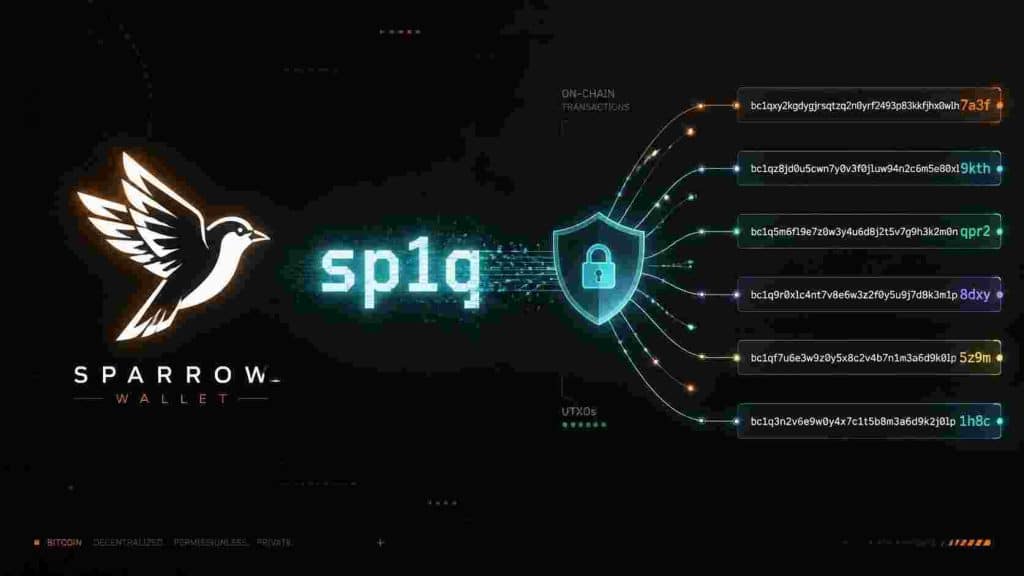
What Are Silent Payments?
Silent Payments (BIP 352) is a major Bitcoin privacy upgrade that allows users to share a single static address while still receiving payments at unique on-chain addresses every time.
This solves one of Bitcoin’s biggest privacy problems — address reuse.
Simple Analogy (Indian Context): Think of it like having one permanent UPI ID (e.g., yourname@oksbi) instead of generating a new QR code or account number every time someone wants to send you money. The sender sees only your static address, but on the blockchain, every payment goes to a completely different, unlinkable address.
Why Sparrow Wallet’s Silent Payments Update Is Important
Sparrow Wallet (one of the most powerful desktop Bitcoin wallets) has added strong support for Silent Payments in its recent updates (v2.3.0 and above).
Key Benefits:
- Better Privacy: No more address reuse. Each incoming payment is automatically routed to a new, unlinkable address.
- Convenience: You can share one static sp1q… address publicly (on your website, bio, or with friends) without compromising privacy.
- No Notification Transaction Needed: Unlike older solutions like PayNyms (BIP47), Silent Payments don’t require extra on-chain transactions.
- Hardware Wallet Support: Works with air-gapped hardware wallets via PSBT (BIP375).
This feature makes Bitcoin much more practical for regular daily use — donations, freelancing payments, family transfers, and merchant receipts.
How to Use Silent Payments in Sparrow Wallet
Step 1: Create a Silent Payments Wallet
- Open Sparrow Wallet → File → New Wallet
- Choose Silent Payment as the script type
- Give it a name and create the wallet
- Sparrow will generate your static Silent Payment address (starts with sp1q)
Step 2: Share Your Static Address
- You can now share this single address with anyone.
- People can send to it normally (like any other Bitcoin address).
Step 3: Receiving Payments
- Sparrow automatically scans for payments made to your Silent Payment address.
- It uses a scan key to detect incoming payments and adds them to your wallet.
- For advanced users: You can run a remote scanner (Frigate server) for mobile/light clients.
Step 4: Sending to Silent Payment Addresses
- Simply paste a sp1q… address in the Send tab.
- Sparrow handles the complex derivation automatically.
Real-World Uses for Regular Life
- Freelancers & Business Owners — Share one address on your website or invoice without revealing your transaction history.
- Donations & Charity — Publish one address publicly.
- Family & Friends — Share once instead of asking for a new address every time.
- Merchants — Accept Bitcoin more easily while maintaining customer privacy.
- Long-term Savings — Reduces the risk of address reuse attacks and chain analysis.
Why This Feature Is a Big Deal
Silent Payments is one of the most important privacy improvements since the Lightning Network. It brings Bitcoin closer to the original vision of peer-to-peer electronic cash that is both private and easy to use.
By adding Silent Payments, Sparrow Wallet has once again proven why it remains one of the best tools for serious Bitcoin users who value both security and privacy.
Recommendation: If you’re serious about self-custody and privacy, update Sparrow Wallet and start experimenting with Silent Payments wallets.
FAQ
Q1. What is the difference between normal addresses and Silent Payment addresses? Normal addresses are reused. Silent Payment addresses look static to the sender but create unique on-chain addresses for every payment.
Q2. Is Silent Payments safe to use? Yes. It is a well-designed BIP with strong cryptographic foundations.
Q3. Can I use it with hardware wallets? Yes. Sparrow supports hardware wallet integration for Silent Payments.
Q4. Do I need to update Sparrow Wallet? Yes. Make sure you are on version 2.3.0 or newer.
Disclaimer: This article is for educational purposes only. Always use the latest version of Sparrow Wallet from the official website and follow best security practices. Always consult with Bitcoin Consultant before starting your journey into bitcoin.
